
Will my strategy keep running if I close the browser or computer?
Last updated ·
Find the machine running the trading process and check its background service and recovery settings.
Find where the trading process runs
Check whether the strategy runs on your local computer or a cloud server. Verify the instance records on that machine.
When you access the Dashboard through remote desktop or a tunnel, the browser displays the interface while the trading service executes on the target machine.
What closing each device affects
If the background service runs independently, it can continue after you close the console tab. Shutting down the machine that runs the trading process interrupts its service.
For a cloud-hosted strategy, keep the server and trading service online. Your local computer can then be turned off.
| Action | What to check |
|---|---|
| Close the browser | Background trading service and instance |
| Shut down or sleep the local computer | Execution, connections and monitoring performed locally |
| Shut down the cloud server | Trading service on the server |
| Restart the server | Service startup, strategy recovery and account reconciliation |
Confirm the cloud instance has taken over
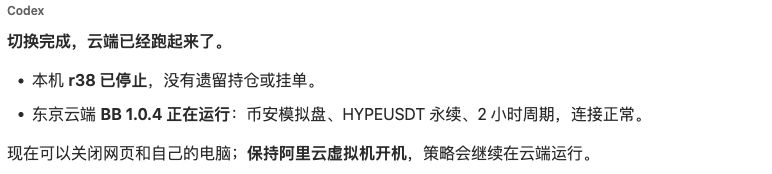
Verify that the local instance is stopped, the intended cloud instance is running, and the trading account connection and reconciliation are healthy.
After the switch, keep the cloud server on to continue execution there.
Check continuous operation and restart recovery
Review reconnection, stale-data handling, exchange-side protective orders and recovery after a server restart. Also identify the machine responsible for monitoring notifications.
Review server, disk, traffic and trial-credit charges in the cloud billing console, and configure billing alerts as needed.