
Why does AlgoRover show a position after the exchange is flat?
Last updated ·
Compare the running process, actual exchange position and local position records.
Separate run status from position status
Running means the strategy process is active. A zero position means the account is currently flat. A flat strategy can keep listening to market data and waiting for a new signal.
After manually closing a position, check run monitoring to see whether the strategy is still active. To end further trading, follow the stop workflow and verify the final status.

Check persistent discrepancies
Match the exchange, environment, account, contract, side and update time. If the exchange is flat while local records keep showing an old position or unrealized P&L, inspect state synchronization.
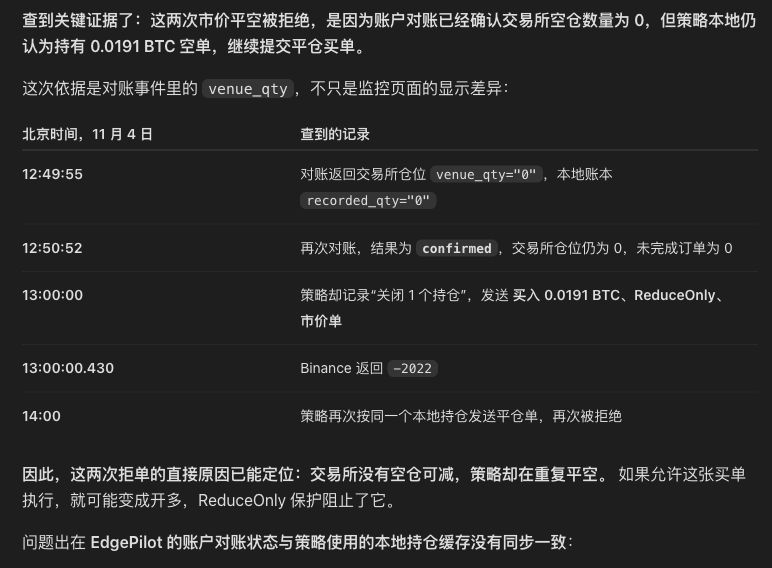
If repeated close requests or ReduceOnly rejections occur, retain the reconciliation, order and fill records from that time.
Compare three position records
Inspect the actual exchange position, account reconciliation and the strategy's position cache separately. If reconciliation reports zero but the cache retains an old short position, the strategy may keep sending buy-to-close orders.
Check the final status of old exit orders and whether position changes have corresponding fills.
Verify synchronization after recovery
Contact support with the strategy revision, run time, contract, both position readings and timestamps, and relevant fill and rejection records.
After recovery, confirm that exchange and local positions agree, old exit orders have a clear final status, repeated close requests have ended, and market and account data keep updating.
Contact support: agent_strategy@algorover.ai